
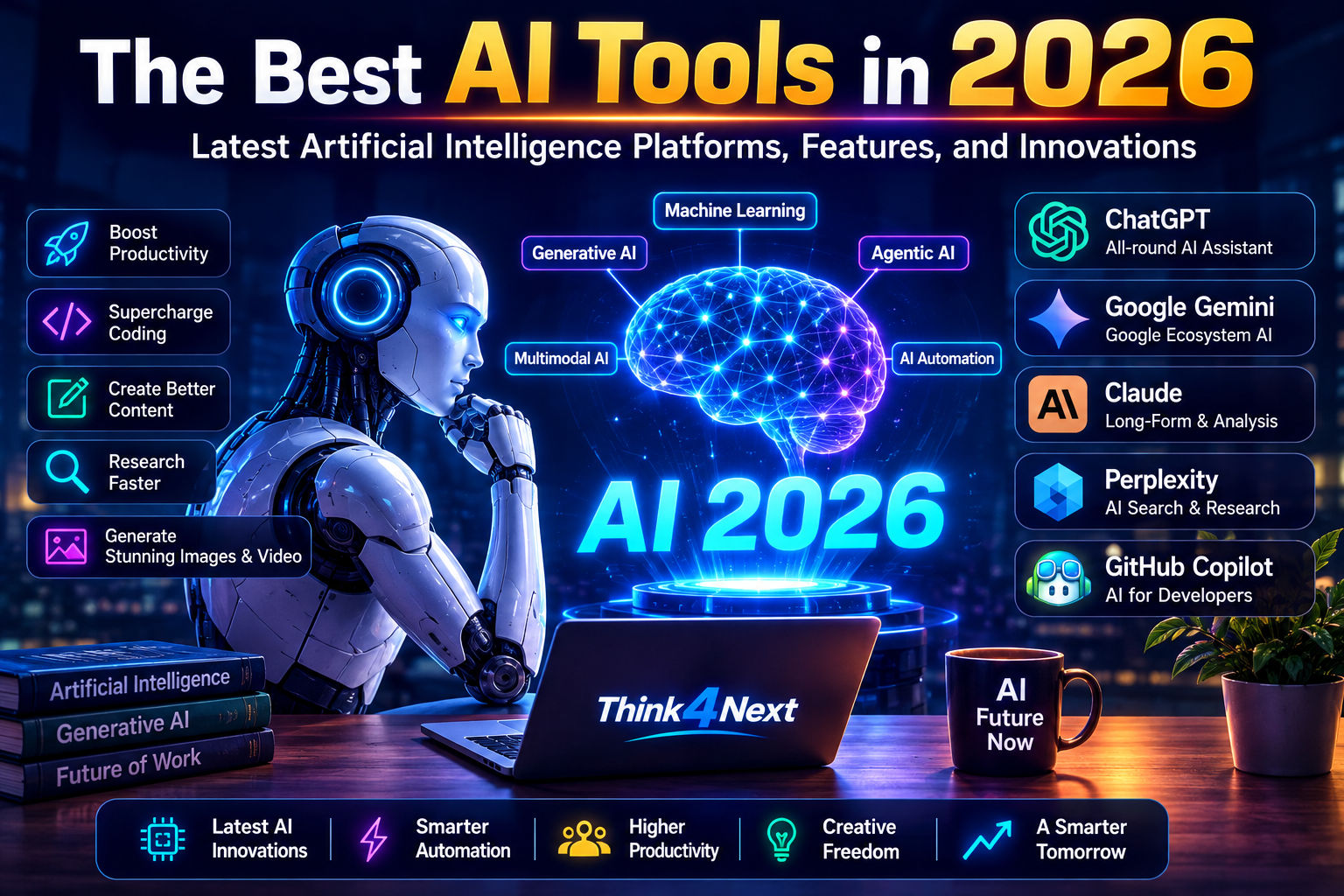

This is why I focus heavily on use cases with the best AI tools. The single best option in the world isn't likely to be what you need based solely on benchmarks or marketing - it's more about your requirements and how they match up with features and ease of use.
I've spend countless hours testing and comparing various AI assistants based on real-world requirements. A writer has different priorities from a developer, a student has different options compared to a business owner, and so on.
The industry as a whole has also evolved considerably in 2026, as Google announced new Gemini models and agentic experiences at I/O 2026 while OpenAI has seen several releases related to agentic AI.
For this reason, I'm going to share the best AI platforms and what they're best at, as well as some overall guidance for choosing your own AI assistant.
Best AI Tools in 2026
The most capable tools in 2026 offer much more than a simple chatbot would have in earlier years - many include features relating to file analysis, research assistance, coding, and more.
Let's look at the best that the space has to offer.
1. ChatGPT - Best All-Around AI Assistant
Best for: General productivity, writing, research, analysis, brainstorming, coding, and file analysis
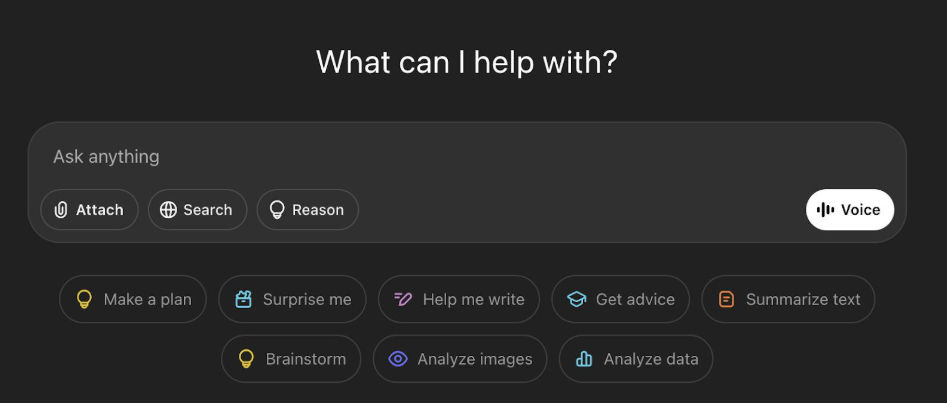 ChatGPT has remained one of the most straightforward options for someone who needs an all-in-one AI assistant.
It still has strong writing capabilities, but the platform has branched out considerably in 2026, offering research assistance with Deep Research, coding assistance, and more.
Many of its traditional strengths remain in place, including general writing and brainstorming help. For this reason, ChatGPT ranks among the best AI tools for general productivity and writing assistance.
I find the recent addition of research help to be incredibly valuable as well, particularly since it lets me define specific requirements and sources rather than simply asking a general question.
When I need help researching a specific topic, asking a question the way I might to a human assistant often isn't nearly as useful as designing a multi-step, specific request.
This is a common theme with AI research tools.
Rather than asking an AI:
What are the best laptops?
...I can get much better results by providing specifics and asking it to find and organize what I'm looking for.
I find that this kind of approach is much more productive and effective than a simple question-and-answer exchange.
Where ChatGPT excels
General productivity and assistance
Research help
Writing
File analysis
Brainstorming
Coding assistance
Organized problem solving and analysis
Multi-step processes
When you want a general-purpose productivity assistant that can handle many tasks, ChatGPT is among the best options, especially if you want to avoid paying for multiple separate subscriptions.
2. Google Gemini - Best for Google Ecosystem and Multimodal AI
Best for: Google users, multimodal tasks, personal productivity, and AI agents
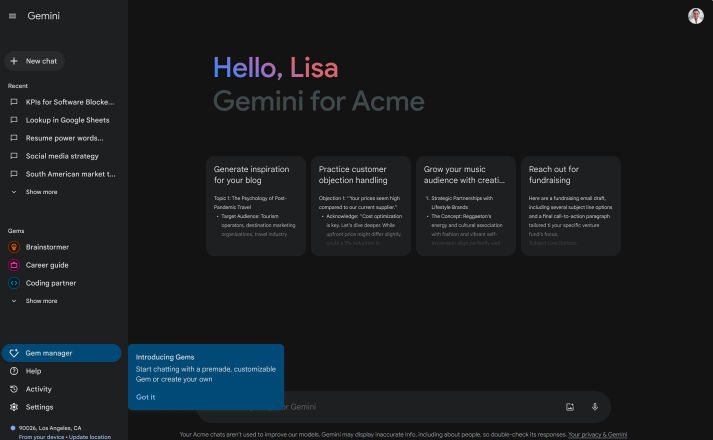 Google's approach to Gemini in 2026 has seen the company unveil Gemini Omni and Gemini 3.5 while emphasizing agentic AI, or AI that can carry out more complex tasks.
The company appears to be doubling down on Gemini's ability to work across Google's broader product ecosystem.
While many would argue that having a separate chatbot is unnecessary, Gemini's value stems largely from its connections to Google products and services.
Google states that its Personal Intelligence can pull information from Gmail, Google Photos, YouTube, and Search in order to better understand and assist a user.
Gemini has also seen considerable improvements to its AI agent tools in 2026, including the launch of Gemini Spark as a 24/7 personal assistant in Google's July 2026 update. Google also announced that Gemini would be available to Google AI subscribers in India.
This represents a major shift in how end users can interact with AI.
Rather than:
Ask → Get answer
We're seeing the introduction of:
Ask → AI planning → Execution → Review
Where Google Gemini excels
Google product ecosystem
Multimodal features
Personal information organization and retrieval
AI agents
Google Workspace productivity
Images and creative features
If you're a Google user who makes regular use of Google Workspace products and services like Gmail, Docs, Sheets, and YouTube, Gemini deserves serious consideration as one of the best AI tools available to you.
3. Claude - Best for Long-Form Writing and Analysis
Best for: Writing, analysis, long-form content creation, and complex reasoning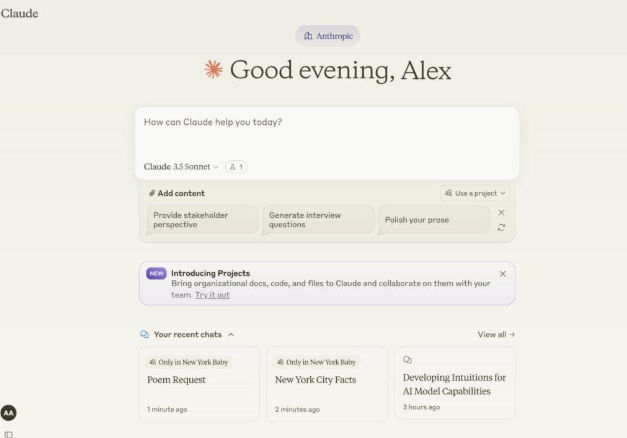 Anthropic's Claude has become a major contender in the general-purpose large language model space.
It has strong features for writing, analysis, reasoning, and other complex tasks.
I find it to be among the most useful tools for writing assistance, particularly longer-form content creation.
Anthropic has also seen considerable innovation in 2026, with the company's recent updates emphasizing interactive artifacts and other improvements to Claude's ability to go beyond a simple chatbot and serve as a true workspace for content creation, analysis, and more.
This is an important distinction.
Asking an AI for help describing an application isn't nearly as valuable as asking it to help you create an interactive version of said application.
I find Claude particularly valuable for long-form writing, analysis, problem-solving, and brainstorming.
Where Claude excels
Long-form writing
Complex reasoning
Document analysis
Brainstorming
Code writing and analysis
Interactive artifacts
Professional-grade knowledge work
When choosing between Claude and ChatGPT, avoid basing your decision on vague assertions about which has a better marketing team. Test both on the same real-world task relating to your requirements. This is usually much more informative than a generic benchmark.
4. Perplexity - Best for Research and Search
Best for: Research, current information, and source discovery
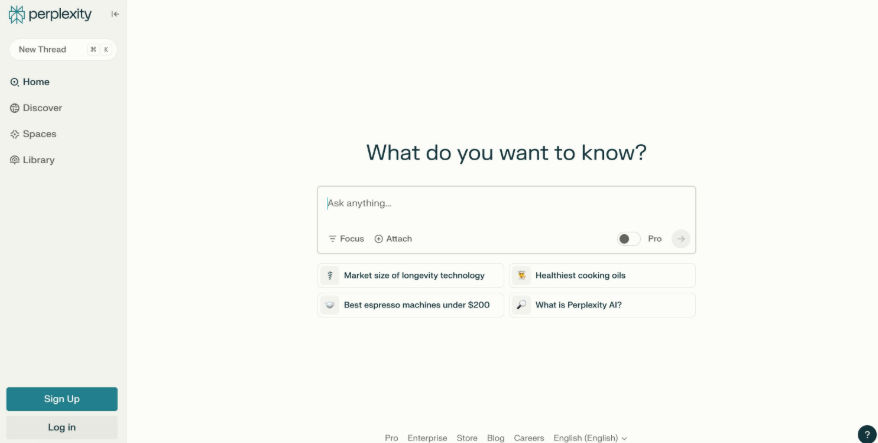 Perplexity takes a different approach to AI than most other companies, emphasizing its search features over traditional chatbot-style interaction.
Perplexity highlights its ability to provide conversational answers with citations to relevant documents, webpages, and other sources.
This makes it much more useful in situations where the information you're seeking to understand or relay could change over time.
This includes:
Current technology developments
Comparing products and services
Researching companies
Planning travel
Industry research
News research
Its Deep Research mode is particularly valuable for more involved research needs, including the inclusion of additional sources, data visualization, and more.
One thing I always recommend when using any AI search tool is to follow the citations back to the sources themselves when possible.
A citation is incredibly valuable as it gives you a way to verify the information for yourself. However, it isn't necessarily a replacement for that verification.
If you publish something commercially, make an important business decision, or otherwise share information that an AI provides, you owe it to yourself and your audience to conduct that verification.
5. GitHub Copilot - Best for Developers
Best for: Development, coding assistance, debugging, and code review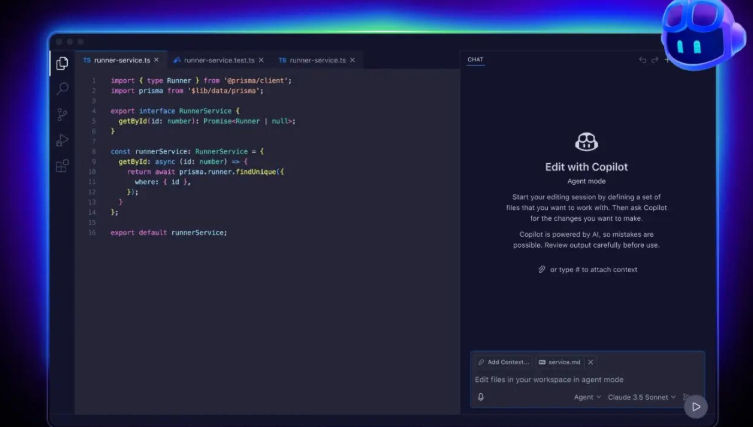 When it comes to coding, GitHub Copilot has had a major impact on developers.
In 2026, Copilot no longer focuses on being simply a code completion suggester within an IDE. GitHub's latest Copilot tools emphasize coding assistance across IDEs, GitHub, the command line, agents, and more. Its agents can analyze and debug code, make suggestions, and even carry out tests.
I see this as a significant shift in how developers can utilize AI assistance.
Asking an AI to complete lines of code is helpful, but asking it to understand a request in natural language and help design the implementation is much more powerful.
GitHub notes that its agents can analyze issues and create pull requests for review, among other tasks.
That being said, I'm always cautious about code written by an AI, even when it appears to be correct. An AI may suggest something that implements a feature exactly as requested, but it could also contain subtle issues, security problems, incorrect assumptions, or more.
I find Copilot to be extremely valuable, but I wouldn't rely on it for production code without significant review.
Where Copilot excels
Code completion
Debugging
Code explanation
Agentic development
Pull requests
Code review
IDE assistance
Developer productivity
Related Think4Next Article
Top 10 AI Tools You Should Try in 2026 to Boost Productivity
6. AI Image Generation Tools
Best for: Bloggers, designers, marketers, visual content creation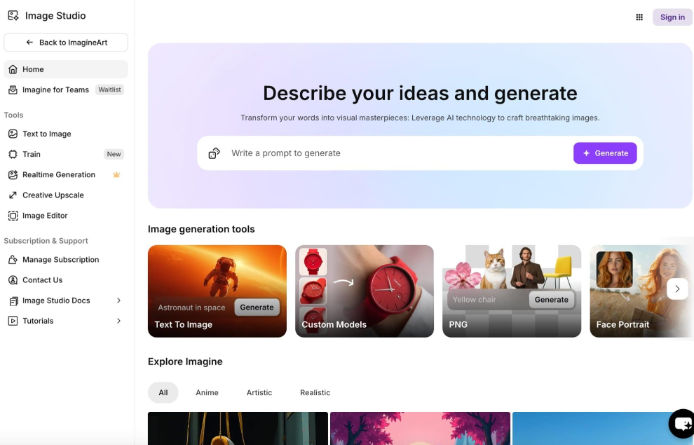 Visual content creation has become much easier with the arrival of AI image generation tools.
Rather than spending hours sifting through stock image websites, you can describe what you want and get it in seconds.
This can be useful for:
Blog illustrations
Thumbnail creation
Social-media content
Product images
Story illustrations
Mood boards
Marketing material
Presentation slides
The main thing to remember is that you shouldn't treat AI-generated images like photos of real people or objects. If you're writing an article about a person or company, the images you include should be recognizable as illustrations.
This helps avoid misleading your audience into thinking they're seeing real people, products, or locations when they're not.
For a blog such as Think4Next, I'd use AI images to illustrate the article rather than trying to pass them off as real photos of people or objects. This helps keep the tone consistent while avoiding deception.
7. AI Video and Creative Tools
Best for: Video creators, marketers, advertisers, filmmakers, and social-media publishers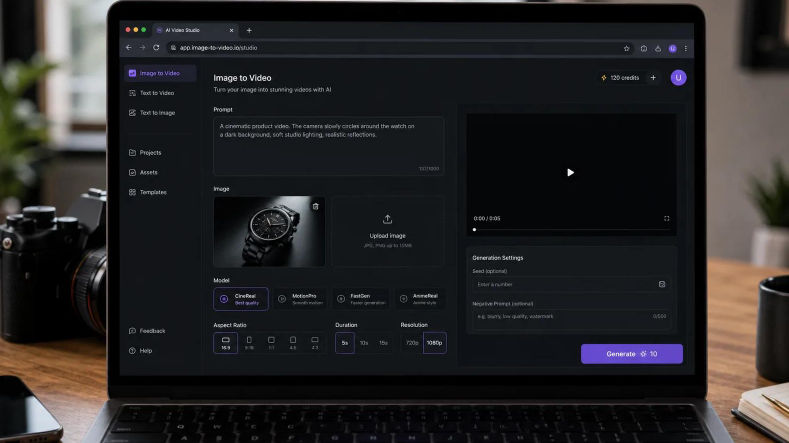 The next frontier of creative content creation involves AI-generated video.
Modern AI tools can help turn descriptions and ideas into videos, making it much easier for creators to produce material without expensive equipment or software.
This can be useful for:
Short cinematic videos for social media
Product concepts
Social-media video content
Storyboards
Advertising material
Visual explainers
Concept trailers
Video creation is an incredibly powerful tool, but it isn't a magic bullet. The first version of a video you create with an AI tool is rarely going to be something you can share directly with your audience. You'll almost certainly need to edit it, modify the pacing, and adjust other elements to meet your standards and the expectations of your viewers.
What Is The Biggest Innovation In AI In 2026?
If I had to identify one trend that will have the biggest impact in the world of AI in 2026, it would almost certainly be AI agents.
For years, we've been exposed to AI that primarily allows us to ask questions and receive answers.
AI agents, on the other hand, seek to allow us to define objectives and let the AI determine how best to reach them. They can analyze problems, plan, execute, and even review their work to ensure everything is completed correctly. Google has seen major updates in this space in 2026, with the company emphasizing an "agentic Gemini era." Meanwhile, Open AI has also experimented with agentic AI, stating they're focused on building independent AI capable of carrying out long tasks and coordinating tools.
This could have a much bigger impact than you might realize.
Rather than simply asking an AI to research five competitors and write up a report on them, you could ask it to analyze each one, determine what differentiates them, organize this information into a spreadsheet highlighting this information, and then provide a summary of its findings. You wouldn't have to switch between browser tabs, documents, and other applications - the agent could carry out many of these tasks for you.
Your role would shift from carrying out these tasks to reviewing and analyzing the information provided.
Related Think4Next Article
Stop Asking AI for Answers. Start Asking It for Better Questions.
How To Choose The Right AI Tool
You likely don't need five different AI subscriptions.
In fact, I'd recommend avoiding the temptation to invest in five different tools simply because they're available. Start with the task at hand and determine which AI tools are the most relevant to you.
If you're a writer
Consider:
ChatGPT
Claude
Gemini
If you're a researcher
Consider:
Perplexity
ChatGPT Deep Research
Gemini
If you're a developer
Consider:
GitHub Copilot
ChatGPT
Claude
If you're a designer or marketer
Consider:
An AI image generation platform that fits your style and licensing requirements
If you're a heavy Google user
Consider:
Gemini
If you're looking for a general-purpose productivity and research assistant
Consider:
ChatGPT
Gemini
Claude
Once you've narrowed down your requirements, test the same task or request in each tool. This will help you identify which is the most relevant to your needs.
Don't Judge AI Tools By Their Benchmarks

Benchmarks can be useful in some cases, but they aren't always indicative of real-world use cases.
A particular language model may perform slightly better on a reasoning benchmark than another, but that doesn't always mean it will perform better for your specific use case.
Your requirements should drive your decisions, not the other way around.
When considering which AI tool to use, think about:
The quality of the results it produces
Context handling
Speed
Supported file types
Available integrations
Citations and source inclusion
User interface and overall usability
Reliability and accuracy
Cost
Privacy and security features
Available models and features
Whether it includes agentic features or not
The best way to evaluate these factors is surprisingly straightforward - give each tool a similar request or task and see how it responds. Avoid generic tasks, such as asking it to write a simple paragraph. Ask it to complete a task you'd actually want to use it for. Ask it to help research something, analyze a document, debug code, or something along those lines.
Compare the results and see which tool has the features and performance you need most.
AI Isn't Always Accurate

Many people forget that AI isn't always accurate. An AI may confidently provide information that is incorrect or misleading. It may cite information that doesn't exist or that you shouldn't use. It may claim to be able to perform tasks it can't actually complete. This is why I don't always trust an AI to do things for me, particularly if I'm going to share its results publicly.
If you're publishing an article or blog post, double-check the facts, figures, and sources you're using. If you're sharing financial information, be especially cautious. If you're publishing code, test it to make sure it works as intended. If you're sharing medical or legal information, ensure you have the proper credentials and licensing to do so. Avoid using information you know to be false, misleading, or outdated, and remember that AI tools often don't distinguish between the two.
Tools like ChatGPT Deep Research and Perplexity can help by providing source citations, but it's still your responsibility to ensure everything is accurate and appropriate for your intended use.
The Future Of AI Tools Is Less About Chatbots And More About Work

While platforms like ChatGPT will always have a place, much of the industry is moving towards creating tools that can integrate more deeply with the work we already do.
Developers can utilize Copilot for coding assistance, Google now has tools that allow Gemini to work with Google Workspace, research tools are bringing search and reasoning together with citation support, and companies are experimenting with agents that can carry out more complex tasks.
GitHub, for example, highlights Copilot's ability to work with agents, allowing it to plan, implement, and test code, among other tasks.
This suggests we should think about AI not as a way to replace our day-to-day work, but rather augment our productivity and ability to accomplish tasks.
Final Thoughts
The best AI tools in 2026 will vary from person to person based on their needs and requirements.
ChatGPT is an incredibly powerful general-purpose assistant for a broad range of tasks. Gemini is an excellent option for Google users, particularly given the company's growing focus on agents. Claude is useful for long-form writing and analysis, and Perplexity offers strong research and discovery features. GitHub Copilot is an obvious choice for developers looking for coding assistance. Meanwhile, the broader world of AI image and video generation has opened the door to many new opportunities for visual content creators.
Ultimately, it's about what you need the most.
When I'm choosing an AI assistant, I consider what tools I need to complete specific tasks, then test them to see which produces the best results. I always avoid tools I don't understand, and I take precautions when using something that could expose sensitive information or provide information that could mislead or harm others. This is especially important for me as a content creator, where I want to ensure the information I share is accurate and reliable.
As these tools continue to evolve, I know the landscape will change considerably over the coming years. New products and features will arrive, pricing and availability will shift, and what I consider the best tool for a particular task may change dramatically from one year to the next.
More AI & Technology Guides on Think4Next
Top 10 AI Tools You Should Try in 2026 to Boost Productivity
Stop Asking AI for Answers. Start Asking It for Better Questions.